
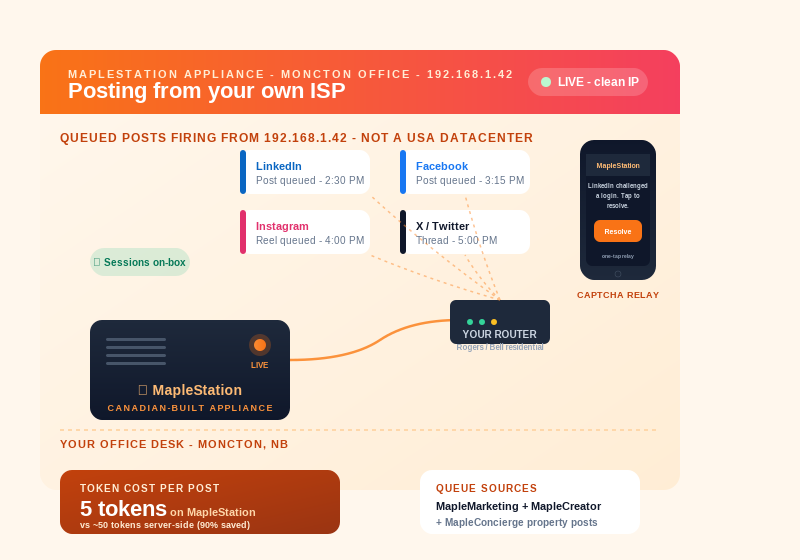
Your IP, your platform, your queue
Cloud social-posters share USA datacenter IPs that LinkedIn, Facebook, and Instagram increasingly flag. MapleStation posts from your own ISP — the same IP you browse from.
Your IP, your city
Posts to LinkedIn, Facebook, Instagram, X and more from your own home or office connection. Looks identical to your normal browsing — because it is.
MapleMarketing-driven queue
Schedule posts in MapleMarketing or trigger them from MapleConcierge / MapleCreator. The Station picks up the queue and fires on a humanlike cadence.
Sessions stay on the box
Log in once via a guided session-capture flow; your encrypted social-platform session lives on your own hardware. We never see your password.
Doubles as a local AI box
Runs private AI on the box itself: a talking companion, home and office security, email triage and MapleWorkSuite integration. One small box, many real jobs.
Captcha relay to your phone
If a platform challenges a login, MapleStation pings your phone — you tap once, it is resolved. No bans, no stuck queues, no datacenter-IP red flags.
Saves you token spend
Server-side cloud posting costs around 50 tokens per post. From your MapleStation it is around 5. Heavy posters recoup the hardware cost in months.
See it in action
On-prem appliance for Canadian businesses with data-sovereignty requirements.
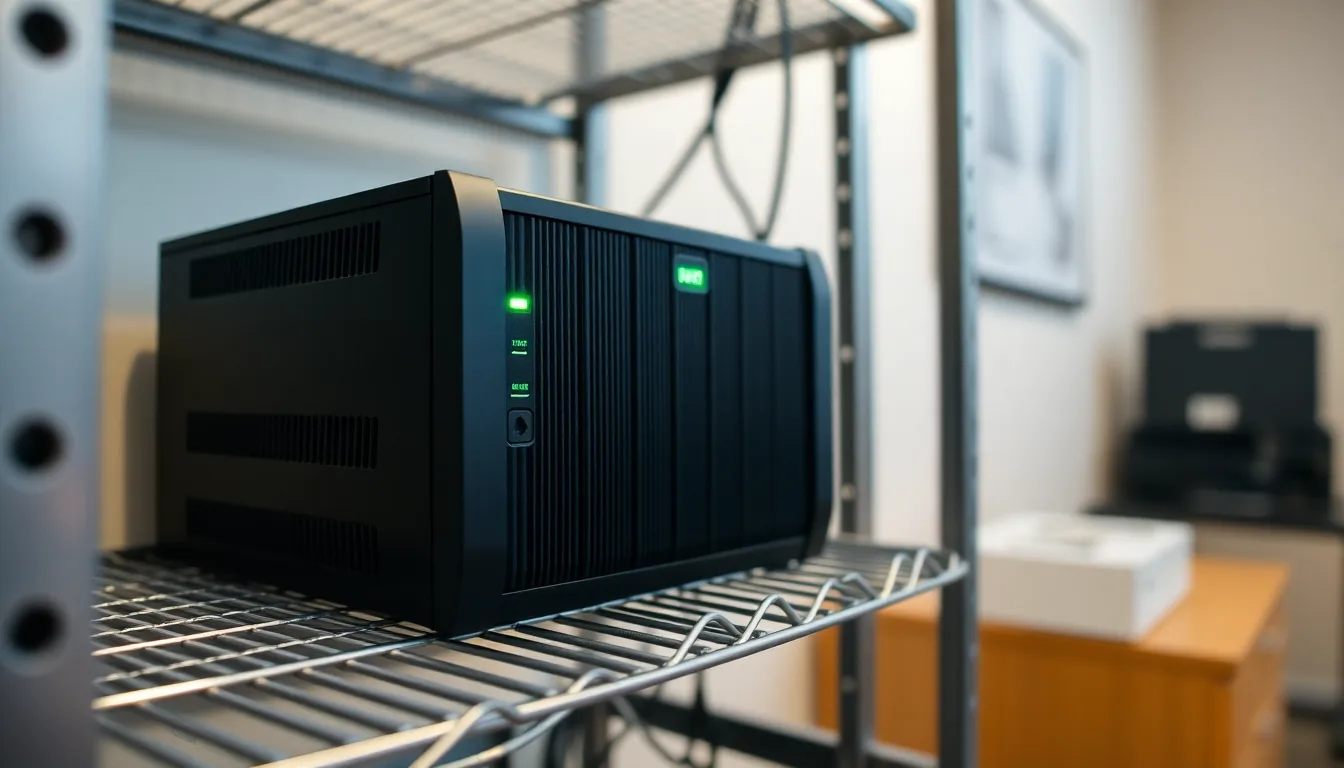
An AI that lives in your home or office
MapleStation now runs a full AI companion and security assistant on the box. Call it by name, it answers out loud, it knows who is talking, and it keeps an eye on the place while you are away. Your conversations, faces and recordings stay on your hardware.
Call it by name
"Hey Maple, what is on today?" It listens for its own name only, answers out loud in a natural voice, and shows a talking face on any screen, tablet or TV in the room.
Knows who is talking
It learns each voice and answers each person by name. When it meets someone new it asks who they are and adds them, with their permission. Visitors get a polite few minutes, not your data.
Eyes and ears while you are away
Connect the cameras and sensors you already have. MapleStation notices motion, voices, loud sounds, doors and leaks, tells TV from real people, and sends you one clear alert instead of a hundred.
Ask what happened
"Did anyone come to the door?" "What did the kids say this afternoon?" It searches what it saw and heard and answers in plain words, with the picture or recording saved as evidence when it matters.
Remembers, and thinks between conversations
People, stories, photos and preferences are remembered for good. In quiet moments it reviews the day and writes itself notes to do better, and you can read every one.
Private by design
Faces, voices and recordings are processed on the box. Security pictures clear after 24 hours and logs after 7 days unless you keep them. One switch keeps everything family-friendly, and one button forgets a face or voice.
Your whole property, one AI security system
MapleStation is much more than a social poster. Buy compatible devices separately from Amazon or any supplier you like, or connect the ones you already own, and MapleStation brings them together.
Cameras
Door, driveway, yard and indoor cameras give the Station eyes on your property.
Motion and light sensors
Know when something moves, or when a light changes where nobody should be.
Microphones
Let the Station hear the room, so you can call it by name and it can tell who is talking.
Water and heat sensors
Catch leaks under the sink and overheating equipment before they become damage.
Weather devices
Bring in outdoor temperature, wind and rain so the Station knows what is happening outside.
Buy from any supplier
You are never locked into our hardware shop. Order devices from Amazon or any other supplier, and we help you connect them during setup.
Meet MapleStation in 60 seconds
A short walkthrough of a real day: a call by name, a new visitor, a quiet afternoon and an evening question. Press play.

Demo is a scripted illustration of real MapleStation features. Names and events are examples.
Your Virtual Team, now in the room
MapleStation connects to your MapleVirtualTeam agents. The same agents that answer your phone, chat and email now have a voice, a face and a place in your home or office, and they follow the same rules.
- 1
Agents bring their persona
Each MVT agent keeps its own name, personality, playbooks and voice. Call your assistant, your receptionist or your security agent by name, and the right one answers.
- 2
Data access follows their role
Your MVT rules decide what each agent may see and do: calendar, clients, invoices, cameras, the security log. A front-desk agent never sees the books; only the agent you choose watches the cameras.
- 3
One team, every channel
Ask out loud at the office, text it from your phone or chat on the web. It is the same agent with the same memory and tasks, and the work lands in MapleTask like any other job.
From unboxing to posting in three steps
A small box on your desk, paired to your MapleWorkSuite tenant, posting from your own ISP within the hour.
-
1
Place the appliance on your network
Plug the MapleStation box (a compact desktop, single-board computer or mini PC) into your office or home Ethernet. It auto-registers with your tenant and pairs with your MapleMarketing seat. From here, every post originates from your own ISP IP.
-
2
Capture your social sessions
Sign in once via the guided session-capture flow to LinkedIn, Facebook, Instagram, X and more. Sessions are encrypted and stored locally on the box. Your passwords never leave the appliance.
-
3
Schedule and post
Queue posts in MapleMarketing or trigger them from MapleConcierge / MapleCreator. The Station fires them on a humanlike cadence. Any captcha challenge pings your phone for a one-tap relay, so accounts stay clean.
Put idle capacity to work
A MapleStation can also share its spare AI capacity. It is optional, and your own work always comes first.
-
MapleGrid network
When you're not using it, the Station can share idle AI capacity with other Canadians and earn credits toward your AI use. You choose the hours, and your own work always comes first.
MapleStation vs. cloud social schedulers
Cloud schedulers post from shared USA datacenter IPs that platforms increasingly flag. MapleStation posts from your own ISP, on your own hardware, billed in CAD.
| Feature | MapleStation | Cloud schedulers | Browser extensions |
|---|---|---|---|
| Posts from your own ISP IP | Your IP, but manual | ||
| Runs unattended on a schedule | |||
| Sessions stay on your hardware | On their servers | In your browser | |
| Captcha relay to your phone | |||
| Doubles as a local AI box | |||
| CAD billing | Usually USD | Usually USD | |
| PIPEDA-aligned, Canadian-built | GDPR / US | n/a | |
| Starts at | $89 CAD/mo + setup | $15+ USD/mo | Free-$10 USD/mo |
Comparison reflects typical cloud social-scheduling tools and posting browser extensions. Feature availability varies by vendor.
Pricing
All prices in CAD, plus applicable taxes. Setup is a one-time fee, and your first 60 days of monthly services are free while we set everything up.
Bring Your Own
- You buy the hardware
- Remote install & configure
- Compact desktop, single-board or mini PC
- Requires monthly services contract
Turnkey
- We supply the hardware
- Pre-imaged, paired, ready
- Starting price: final cost depends on the hardware
- Plus tax + shipping
- Requires monthly services contract
Monthly Services
- Software updates
- Monitoring + captcha relay
- MapleMarketing seat included
- Tiered to posting volume
Posts going out from real ISPs.
A peek at the kinds of activity flowing through MapleStation appliances on a typical day. Illustrative; names anonymized.
Frequently asked questions
Common questions about MapleStation. Have something else? Email [email protected].