Questions & answers
Frequently asked
Common questions about MapleWebSite. Have something else? Email [email protected].
What does AEO/SEO baked in actually mean?
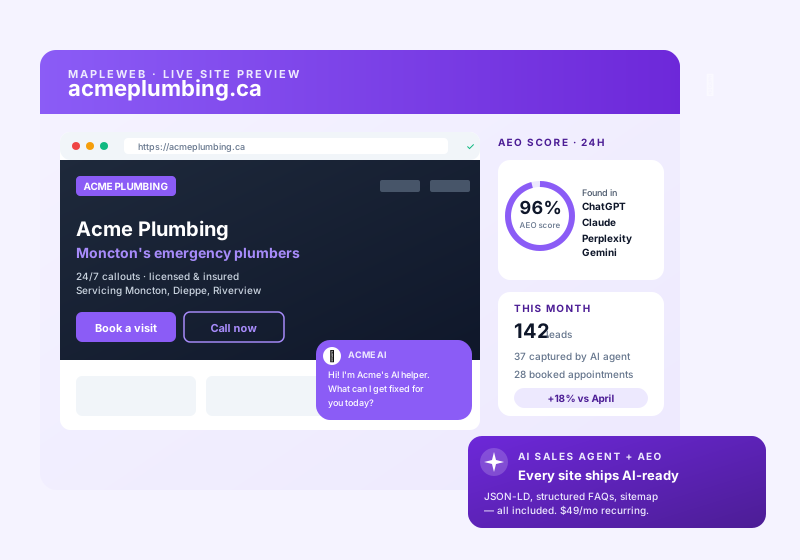
AEO (Answer Engine Optimization) is the new SEO for ChatGPT, Claude, Perplexity, and Google AI Overviews. Every MapleWebSite site ships with schema markup (Organization, LocalBusiness, FAQPage, Product, Service), clean semantic HTML, Open Graph + Twitter cards, a sitemap.xml, robots.txt, fast Core Web Vitals, and AI-optimized FAQ blocks - so both traditional search and AI answer engines can cite your business correctly.
Is there a free plan for MapleWebsite?
Yes. MapleWebsite offers a free account so you can start with no credit card and no commitment. Create your free account, explore the core features, and upgrade to a paid plan only when you need more volume or advanced capabilities.
What is MapleWebSite?
MapleWebSite is an AI-powered web design service for Canadian SMBs. We design, build, and host fast, AEO/SEO-optimized websites on Canadian infrastructure. Canadian-hosted, PIPEDA-aligned, billed in CAD. Hosting is $10/month and a site build is a one-time fee from $50. (An AI chat or sales agent is not part of the website itself - add one by subscribing to MapleInvoice, MapleChat, or MapleReceptionist.)
How is MapleWebSite different from Wix, Squarespace, or hiring an agency?
Wix and Squarespace are DIY drag-and-drop tools - you still design, write copy, and configure SEO yourself. A traditional agency takes 8-12 weeks and costs thousands. MapleWebSite is AI-first managed web design: you fill in a short brief, our AI plus a Canadian designer turn it into a live site within 48 hours of your brief and content, with AEO/SEO baked in. Pricing is simple - $10/month hosting plus a one-time build from $50, billed by characters, images, and hours rather than by page.
How long does it take to get my site live?
Fast. Our AI generates your site as quickly as 15 minutes after you submit the brief, and a Canadian designer reviews every page before launch. Most sites go live within 48 hours of your content arriving; simpler builds can launch the same day. You get a project dashboard at /dashboard/web/ to track every step in real time.
Is MapleWebSite PIPEDA-aligned and Canadian-hosted?
Yes. Sites are hosted on Canadian infrastructure, your data stays in Canada, and we do not train external models on your customer data. Privacy policy and cookie banner templates are PIPEDA-aligned by default. Billing is in CAD.
How does MapleWebSite integrate with the rest of MapleWorkSuite?
MapleWebSite is your storefront, and it connects to the rest of the Maple suite: add an AI chat or sales agent from MapleInvoice, MapleChat, or MapleReceptionist; sync leads to MapleCRM; pull marketing content from MapleMarketing; draft blog posts with MapleCreator; and send transactional email via MapleMail. One Maple login, one dashboard, CAD billing across the suite.
How is website building billed?
We bill builds by the work involved — characters of copy, custom images, and hours — not by the number of pages. A build starts at $50 CAD, which includes 20,000 characters of copy, 4 custom images, and 2 hours of work. Beyond that: extra copy is $0.20 per 1,000 characters, extra custom images are $2 each, and extra hours are $40/hr (always quoted in advance). Full detail at
maple.website/help/#billing.
What does the $50 build include?
The one-time $50 CAD build includes 20,000 characters of website copy, 4 custom images, and 2 hours of work. If your site needs more, the extras are billed transparently (extra copy at $0.20 / 1,000 characters, extra custom images at $2 each, extra hours at $40/hr) and always quoted before we start.
Can I use my own content and images?
Yes. You can upload your own copy and images, which counts against (and helps you stay within) the included 20,000 characters and 4 images — a great way to keep your build at the $50 base.
Is an AI agent included?
No. MapleWebSite is your website plus the build — Canadian hosting and an AEO/SEO-optimized site. An AI chat or sales agent is not part of the website itself; you add one by subscribing to another Maple product such as MapleInvoice, MapleChat, or MapleReceptionist, which connects its agent to your site.
Do you provide a domain?
Both. Connecting a domain you already own is included, and we can register a brand-new one for you —
search for a name and we will set it up on your site, with the DNS configured for you. Current pricing is shown on the search page. Premium names that the registry prices individually can run far higher, and we will quote those before you commit.
Is maple.website included with other plans?
Yes. MapleWebSite hosting is included free with any paid MapleConcierge or MapleBuy plan. On its own, hosting is $10 CAD/month plus a one-time site build from $50.