
Key Features
Everything your team needs from a business inbox — and nothing that gets in your way.
Secure Hosting
Enterprise-grade security with spam filtering and encryption
Your Domains
Use your own domain for professional email addresses
Multi-Device Access
IMAP, POP3, SMTP — access from any email client or mobile app
Team Collaboration
Shared mailboxes, calendars, and contact management
Canadian Data Residency
Your email data stays in Canada — PIPEDA compliant
Advanced Security
2-step auth, email archiving, and e-discovery (Pro+)
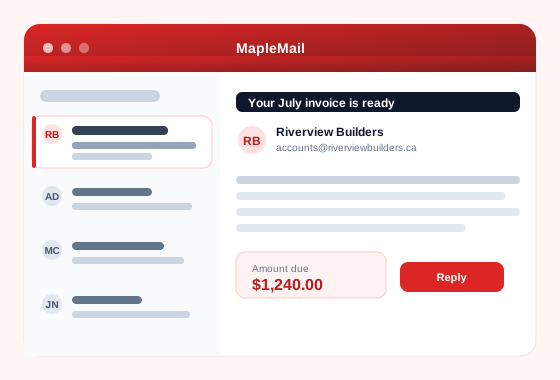
See it in action
Inbox triage and replies that sound like you, in English and French.
MapleMail vs. the usual suspects
Canadian-hosted, no per-seat surprises, no foreign data residency.
| Feature | MapleMail | Big-Box Mail | Self-host |
|---|---|---|---|
| Canadian data residency | |||
| PIPEDA aligned | DIY | ||
| IMAP / POP / SMTP | IMAP only | ||
| Your domains | Unlimited* | Per-seat fees | Manual DNS |
| 2-step auth | DIY | ||
| Archiving & e-discovery | Pro+ | Enterprise tier | DIY |
| Starts at | $0 CAD | $8+ USD / seat | Your time |
*Unlimited on Standard and above.
Pricing Plans
All plans include webmail, mobile apps, and IMAP/POP/SMTP access. Prices in CAD.
Free
- 1 mailbox
- 1 your domain
- 2 GB storage
- Basic spam filtering
- Webmail + mobile apps
Starter
- 3 mailboxes
- 1 your domain
- 5 GB per mailbox (15 GB total)
- Spam filtering
- Webmail + mobile apps
Basic
- 5 mailboxes
- 3 your domains
- 5 GB per mailbox (25 GB total)
- Advanced spam filtering
- Webmail + mobile apps
Standard
- 10 mailboxes
- Unlimited your domains
- 5 GB per mailbox (50 GB total)
- Email aliases
- 2-step authentication
- Priority support
Professional
- 25 mailboxes
- Unlimited your domains
- 10 GB per mailbox (250 GB total)
- Email archiving & e-discovery
- Mobile device management
- Advanced security
- 99.9% SLA
Business
- 50 mailboxes
- Unlimited your domains
- 20 GB per mailbox (1 TB total)
- Email retention policies
- Advanced compliance
- Admin console & API access
- Dedicated support
What will it cost at your size?
Set how many mailboxes you need, tick the extras, and see the real monthly figure before you buy.
One mailbox per person. Aliases and shared addresses do not count against this.
Prices in CAD, plus tax, billed monthly. Add-ons are charged per account, not per mailbox. You can change plan or drop an add-on at any time.
Where the AI tokens go
MapleMail can summarise a long thread, draft a reply and read a receipt for you. Those use tokens. Everything else about your email does not.
Never costs a token
- ✓ Reading, sending and receiving email
- ✓ Opening a message, including one that already has a summary
- ✓ Re-reading a summary you have already generated
- ✓ Search, folders, filters, contacts and calendar
- ✓ Threads with only one message, which are never sent to the AI
Your email works with an empty balance. Running out switches the AI features off and nothing else.
Typical cost per action
| Action | Tokens |
|---|---|
| Summarise a long thread One click on an email conversation. Covers the whole thread. |
~1,150 |
| Draft a reply Generates a suggested response you can edit before sending. |
~1,550 |
| Read a receipt or attachment Pulls amounts, dates and vendors out of a document. |
~3,200 |
| Daily inbox briefing One digest of what arrived and what needs an answer. |
~6,450 |
Measured from real usage on 13 September 2026. A long thread costs more, a short one less, and your dashboard shows the exact amount every action used.
Included every month
Monthly token allowances for each plan are being finalised and will be listed here. In the meantime the AI features run from top-up packs, which any plan can buy.
Buying more
| Pack | Tokens | Price | Per 1,000 |
|---|---|---|---|
| Small Token Pack | 150,000 | $29 | 19.3¢ |
| Medium Token Pack | 400,000 | $69 | 17.3¢ |
| Large Token Pack | 900,000 | $139 | 15.4¢ |
Packs never expire and are bought from Billing in your dashboard. Larger packs cost less per token.
A quiet inbox, working hard.
A peek at what's flowing through MapleMail right now. Names anonymized.