
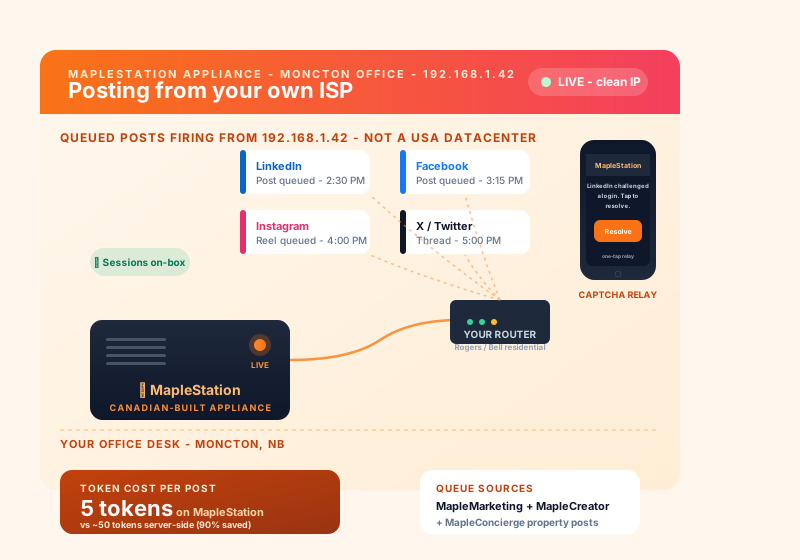
Your IP, your platform, your queue
Cloud social-posters share USA datacenter IPs that LinkedIn, Facebook, and Instagram increasingly flag. MapleStation posts from your own ISP — the same IP you browse from.
Your IP, your city
Posts to LinkedIn, Facebook, Instagram, X and more from your own home or office connection. Looks identical to your normal browsing — because it is.
MapleMarketing-driven queue
Schedule posts in MapleMarketing or trigger them from MapleConcierge / MapleCreator. The Station picks up the queue and fires on a humanlike cadence.
Sessions stay on the box
Log in once via a guided session-capture flow; your encrypted social-platform session lives on your own hardware. We never see your password.
Doubles as a local AI box
Optional local Ollama models for private AI work, autonomous email triage, and MapleWorkSuite integration. One small box, two real jobs.
Captcha relay to your phone
If a platform challenges a login, MapleStation pings your phone — you tap once, it is resolved. No bans, no stuck queues, no datacenter-IP red flags.
Saves you token spend
Server-side cloud posting costs around 50 tokens per post. From your MapleStation it is around 5. Heavy posters recoup the hardware cost in months.
See it in action
On-prem appliance for Canadian businesses with data-sovereignty requirements.
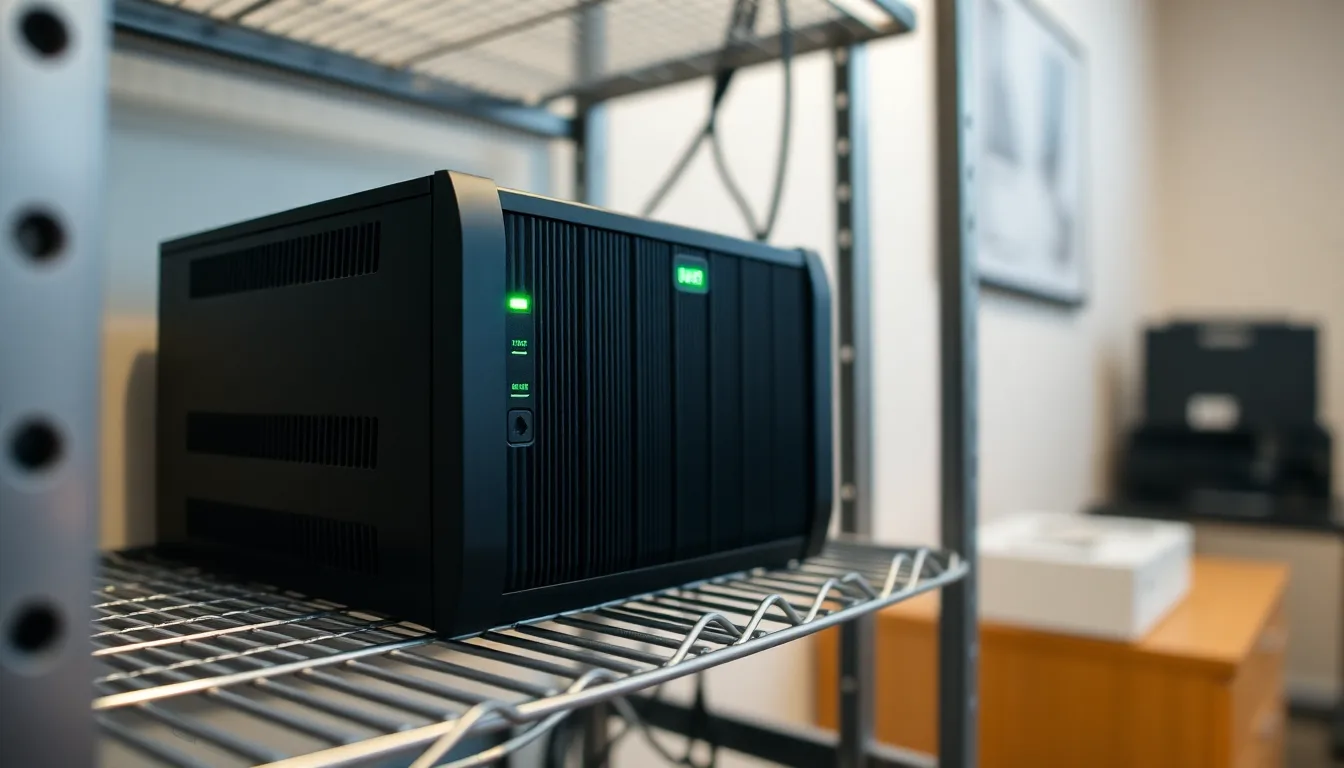
From unboxing to posting in three steps
A small box on your desk, paired to your MapleWorkSuite tenant, posting from your own ISP within the hour.
-
1
Place the appliance on your network
Plug the MapleStation box (Mac Mini, Raspberry Pi 5, or Linux NUC) into your office or home Ethernet. It auto-registers with your tenant and pairs with your MapleMarketing seat. From here, every post originates from your own ISP IP.
-
2
Capture your social sessions
Sign in once via the guided session-capture flow to LinkedIn, Facebook, Instagram, X and more. Sessions are encrypted and stored locally on the box. Your passwords never leave the appliance.
-
3
Schedule and post
Queue posts in MapleMarketing or trigger them from MapleConcierge / MapleCreator. The Station fires them on a humanlike cadence. Any captcha challenge pings your phone for a one-tap relay, so accounts stay clean.
Put the box's AI to work
A Mac Mini MapleStation can also run AI on the box itself. Both options are in development and neither is required.
-
MapleClaw assistant
An AI executive assistant for the owner, connected to your MapleWorkSuite account and running on the Station, so your business stays on your own hardware.
-
MapleGrid network
When you're not using it, the Station can share idle AI capacity with other Canadians and earn credits toward your AI use. You choose the hours, and your own work always comes first.
MapleStation vs. cloud social schedulers
Cloud schedulers post from shared USA datacenter IPs that platforms increasingly flag. MapleStation posts from your own ISP, on your own hardware, billed in CAD.
| Feature | MapleStation | Cloud schedulers | Browser extensions |
|---|---|---|---|
| Posts from your own ISP IP | Your IP, but manual | ||
| Runs unattended on a schedule | |||
| Sessions stay on your hardware | On their servers | In your browser | |
| Captcha relay to your phone | |||
| Doubles as a local AI box | |||
| CAD billing | Usually USD | Usually USD | |
| PIPEDA-aligned, Canadian-built | GDPR / US | n/a | |
| Starts at | $49 CAD/mo + setup | $15+ USD/mo | Free-$10 USD/mo |
Comparison reflects typical cloud social-scheduling tools and posting browser extensions. Feature availability varies by vendor.
Pilot pricing
Pilot pricing during the first-three-customers phase. All prices in CAD. Pilot clients lock in priority support for life.
Bring Your Own
- You buy the hardware
- Remote install & configure
- Mac Mini, Pi 5, or Linux NUC
- Requires monthly services contract
Turnkey
- We supply the hardware
- Pre-imaged, paired, ready
- Plus tax + shipping
- Requires monthly services contract
Monthly Services
- Software updates
- Monitoring + captcha relay
- MapleMarketing seat included
- Tiered to posting volume
Enterprise
- Multi-box fleets
- SAML SSO & audit logs
- Priority replacement appliance
- Custom Ollama model deploys
Posts going out from real ISPs.
A peek at the kinds of activity flowing through MapleStation appliances on a typical day. Illustrative; names anonymized.
Frequently asked questions
Common questions about MapleStation. Have something else? Email [email protected].