FAQ
Frequently asked questions
Common questions about MapleExpense. Have something else? Email [email protected].
What is MapleExpense?
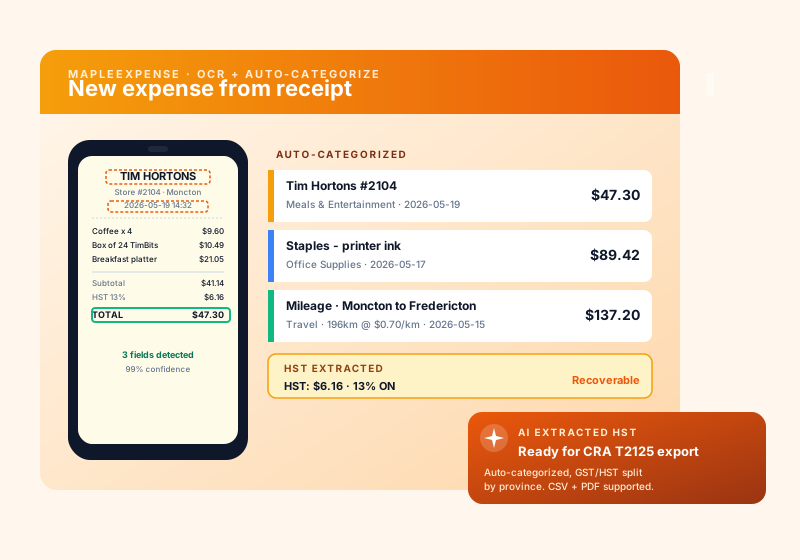
MapleExpense is a Canadian-hosted expense tracking and receipt OCR app for small and mid-sized businesses. Snap a photo of a receipt and it extracts the merchant, total, GST/HST/PST, and category in seconds, then files everything in a CRA-tax-ready format you can export to MapleInvoice, QuickBooks, or your accountant.
How is MapleExpense different from Expensify, QuickBooks Self-Employed, or Wave?
Expensify is U.S.-first and charges per active user; QuickBooks Self-Employed bundles invoicing but its receipt OCR is rough on Canadian receipts (especially Quebec bilingual ones); Wave is free but has no real OCR and no provincial tax breakdown. MapleExpense is Canadian-hosted, parses HST/GST/QST/PST per province automatically, exports T2125-ready summaries, and starts at $0 CAD on the Free tier with 15 receipts/month; paid tiers from $4.99 CAD/mo (Starter, 200 receipts).
How accurate is the receipt OCR?
MapleExpense uses a Canadian-tuned OCR pipeline (Tesseract + a vision LLM fallback) trained on common Canadian receipts (Tim Hortons, Sobeys, Costco, Petro-Canada, Couche-Tard, Home Depot). On a 500-receipt benchmark we hit 96% accuracy on merchant + total, 92% on GST/HST line items, and 88% on category auto-tagging. Anything below the confidence threshold is flagged for one-tap review.
Does it generate CRA T2125-ready exports?
Yes. The CRA export bundles expenses by T2125 line item (Line 8521 Advertising, Line 8810 Office expenses, Line 9281 Motor vehicle expenses, etc.), generates a per-province HST/GST/QST summary for your ITC claim, and outputs a PDF plus CSV that your accountant (or TurboTax / Wealthsimple Tax) can import directly. Year-end takes minutes instead of a Saturday.
How does HST/GST/PST per province work?
MapleExpense knows the current rate in every province and territory: 5% GST in AB/BC/SK/MB/NT/YT/NU, 13% HST in ON, 15% HST in NB/NS/PE/NL, 5% GST + 9.975% QST in QC, and 5% GST + 7% PST in BC/SK plus 8% PST in MB. When you scan a receipt it auto-applies the correct breakdown based on the merchant address (or your travel location), so your input tax credit math is right on the first try.
Can it track mileage automatically?
Yes. The mobile app uses GPS to auto-log trips with start, end, distance, and purpose (business vs. personal). Year-end exports include the CRA-required logbook columns: date, destination, kilometres, and business purpose. The 2026 CRA rate ($0.72/km for the first 5,000 km, $0.66/km after) is applied automatically -- you can override per province.
Does it sync with corporate cards and bank feeds?
Yes. MapleExpense connects to all major Canadian banks (RBC, TD, BMO, Scotiabank, CIBC, National Bank, Desjardins, Tangerine, Simplii) and corporate card programs (Float, Brex, American Express Canada) through read-only Plaid-equivalent feeds. Receipts auto-match to card transactions, so you only have to confirm -- not retype.
How does it integrate with MapleInvoice and MapleConcierge?
MapleExpense feeds tax-categorized expenses directly into MapleInvoice for billable client work and into MapleConcierge so your AI assistant can answer expense questions in plain English. All three apps share one Canadian-hosted database -- no extra glue, no zaps to break.
Should I claim vehicle mileage or just write off fuel?
It depends on how the vehicle is owned, and mileage often wins. If the vehicle is personally owned and used for business, claiming the CRA per-km mileage allowance usually beats writing off fuel alone -- especially for a thirsty (high L/100 km) vehicle -- because the per-km rate also covers maintenance, insurance, and depreciation, not just gas. If the vehicle is company-owned, you do not use per-km at all; instead you claim actual operating costs plus CCA (depreciation). Set this up at /finances/mileage/vehicles by adding the vehicle, its L/100 km, the ownership type, and the claim method, then tag your fuel receipts to it so the app can compare the two approaches with your real numbers.
How do I claim vehicle mileage?
Go to /finances/mileage/vehicles and add your vehicle. Enter its fuel consumption (L/100 km), set ownership to personal, set the claim method to mileage, and enter the business kilometres you drive per fiscal year. Then tag each fuel receipt to that vehicle. With the L/100 km and your fuel receipts, the app predicts kilometres driven, and your trip entries substantiate the business-use percentage. The CRA per-km allowance is then applied to your business kilometres. The mileage allowance is paid to you per business km (tax-free to you) and is deductible to the business.
Where do I enter my vehicle and fuel receipts?
Everything lives at /finances/mileage/vehicles. Add each vehicle with its L/100 km, set its ownership (company or personal) and claim method, and set the business kilometres per fiscal year. Then tag each fuel receipt to its vehicle so the app knows which gas belongs to which car. Tagging is also what keeps your numbers clean: once a personal vehicle is on mileage, its tagged fuel is automatically excluded from your expense totals so you do not deduct the same cost twice.
Company-owned vs personally-owned vehicle -- what is the difference?
The claim method follows ownership. A personally-owned vehicle used for business is claimed with the CRA per-km mileage allowance: the business reimburses you per business kilometre, which is tax-free to you and deductible to the business. A company-owned vehicle is claimed with actual operating costs plus CCA (depreciation) -- you cannot use the per-km method on a company-owned vehicle. Set the correct ownership at /finances/mileage/vehicles; for a company vehicle also set the CCA class and the capital cost so the depreciation pool is tracked.
What is CCA / UCC and how does it carry forward?
CCA (Capital Cost Allowance) is how you deduct the cost of a capital asset, like a company-owned vehicle, a little each year instead of all at once. The remaining undepreciated value is the UCC (Undepreciated Capital Cost) pool. Each year you claim CCA the pool goes down, and whatever is left carries forward to the next year automatically -- so the deduction continues over the life of the asset. To track this, set the vehicle's ownership to company at /finances/mileage/vehicles and enter its CCA class and capital cost.
What is a non-capital loss carry-forward?
A non-capital loss happens when your deductible business expenses for a year exceed your income for that year. That loss is not wasted -- it carries forward and can offset income in future years, reducing tax in a later year's return (for a corporation, a later T2). Reassessed prior-year figures feed this, so getting your prior years entered correctly pays off in later years. Keeping vehicle, fuel, and other expenses recorded accurately is part of making sure the right loss is available to carry forward.
Why do I need mileage logs?
Mileage logs are your audit defense. The CRA can disallow vehicle costs entirely if there are no logs to back up the business use. A log establishes the business-use percentage of the vehicle. At /finances/mileage/vehicles the app helps build this for you: it predicts kilometres from your tagged fuel receipts (fuel divided by L/100 km) and combines that with the trips you enter, so you end up with the substantiation the CRA expects. No logs means no proof, which puts the deduction at risk.
Is there a free plan for MapleExpense?
Yes. MapleExpense offers a free account so you can start with no credit card and no commitment. Create your free account, explore the core features, and upgrade to a paid plan only when you need more volume or advanced capabilities.
Is MapleExpense Canadian-owned and hosted in Canada?
Yes. MapleExpense is part of MapleWorkSuite, a Canadian product designed and owned in Canada (Joel & Nanz Inc., New Brunswick). Your data is hosted in Canada, billing is in CAD, and the platform is built with PIPEDA in mind — no surprise cross-border data on your business.